
About This High Volume Call Center
The WorkMovr High Volume Call Center customization combines Caspio's CRM and interface with Amazon Connect's telephony and routing to run inbound and outbound call operations. Caspio is the system of record for agents, customers, and call data, while Amazon Connect handles the calls and flow-based routing.
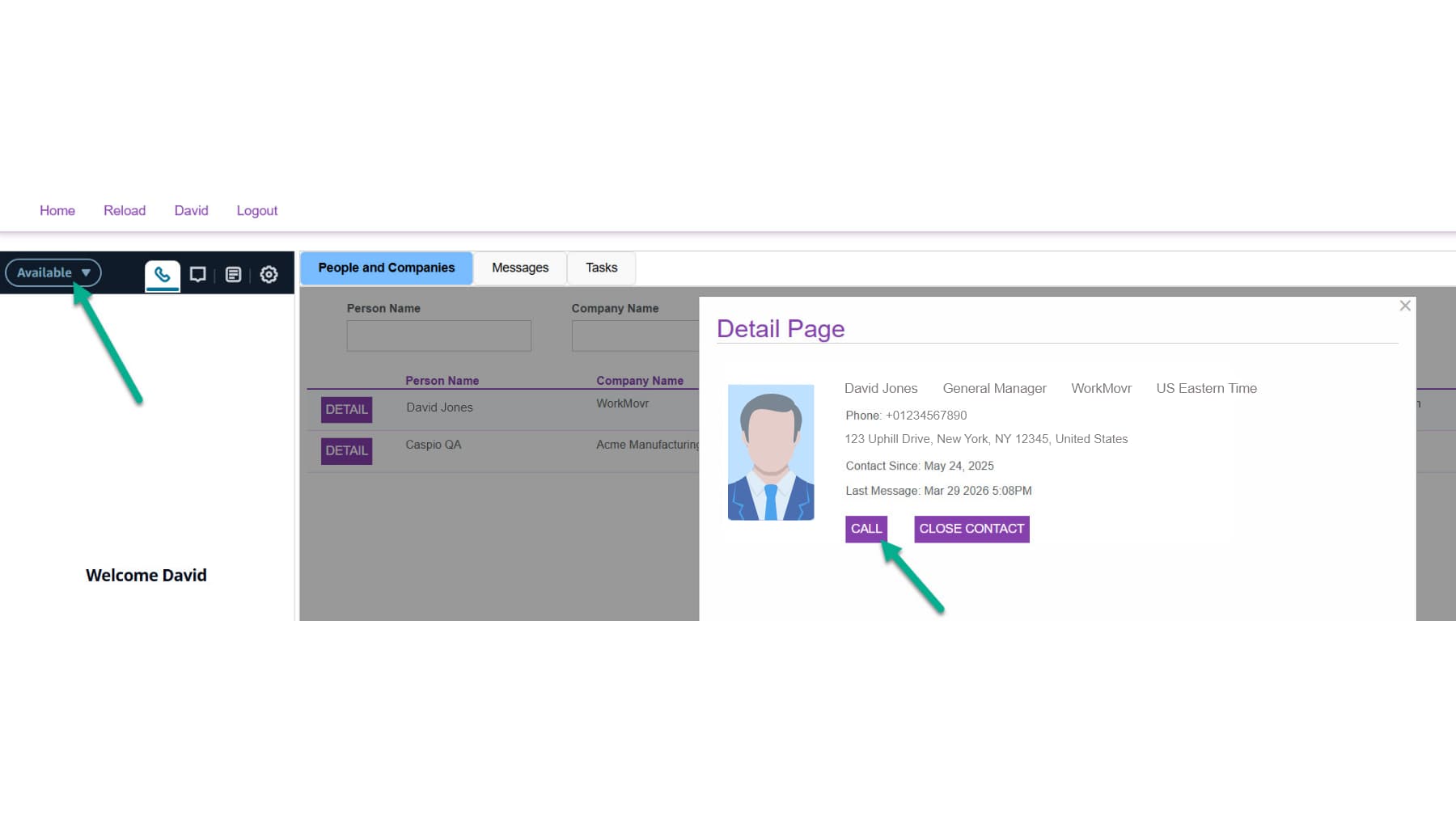
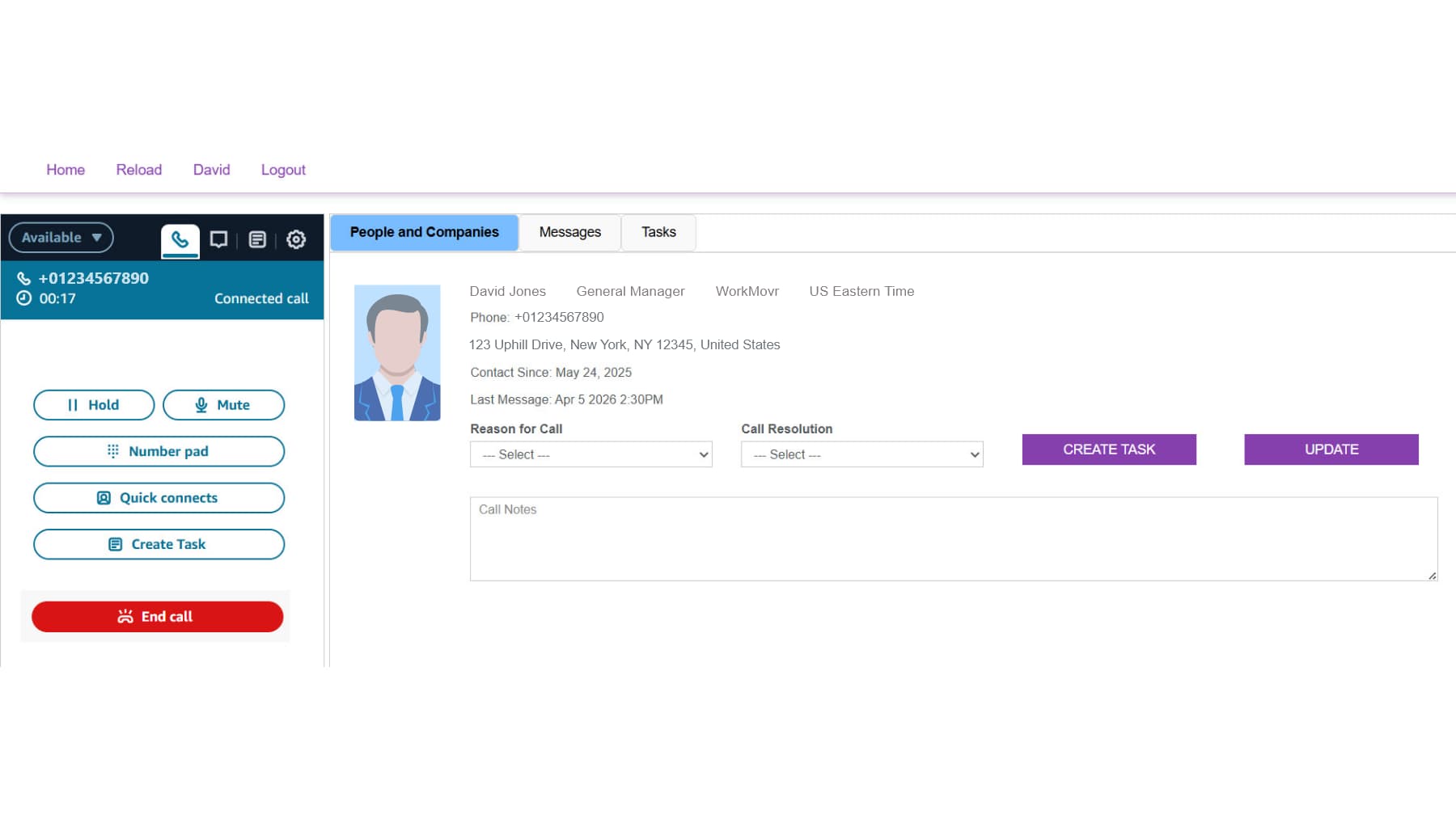
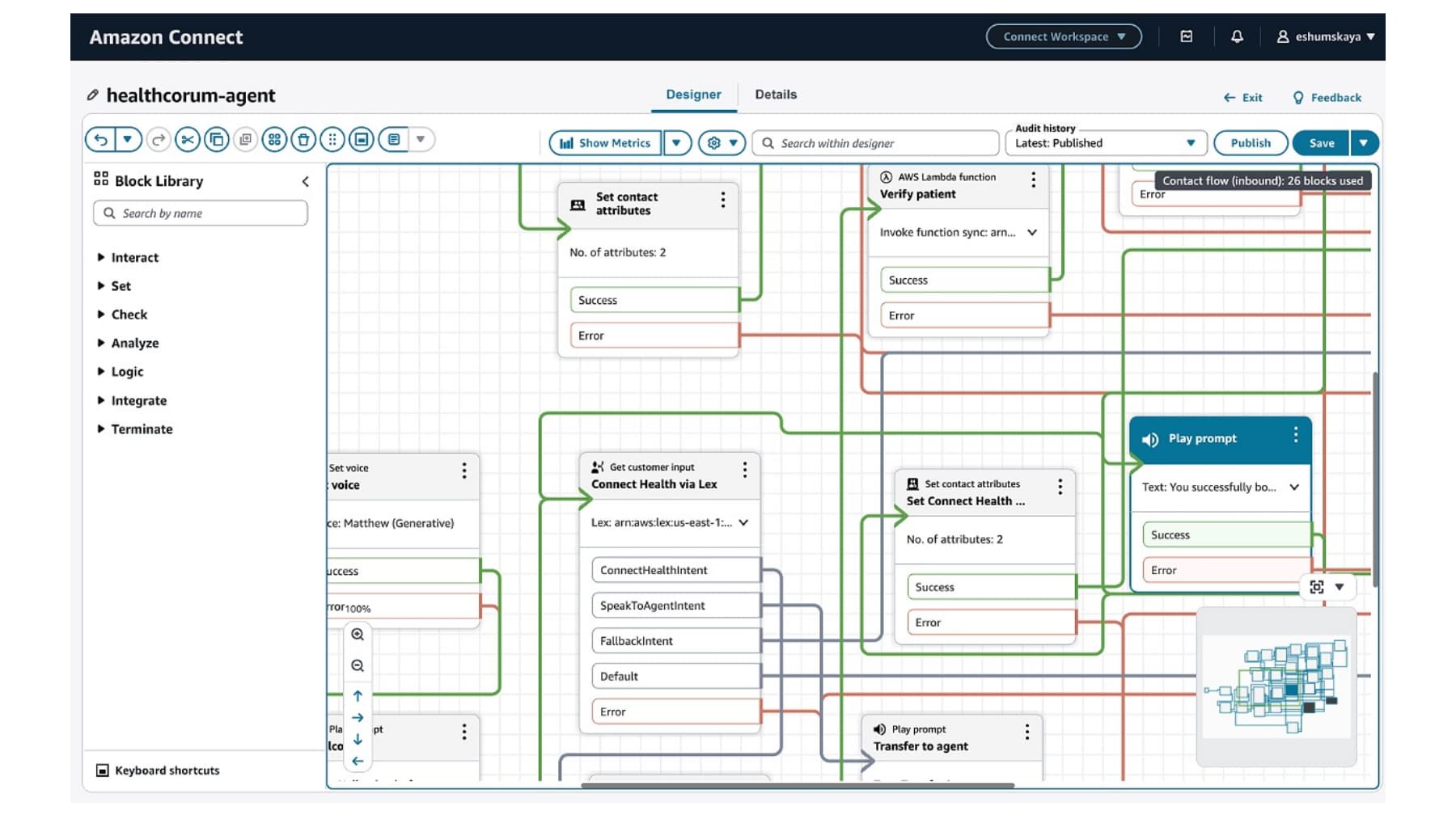
Incoming calls trigger a screen pop in Caspio using caller ID, so agents see the customer's details immediately, log the reason for the call, and record the resolution. Agents place outbound calls directly from the Caspio interface, using an outbound caller ID set to a number the business owns to reduce spam labeling. Amazon Connect's graphical flow designer models conversational IVR flows built on Amazon Lex, which uses natural-language speech recognition in place of keypad-only menus.
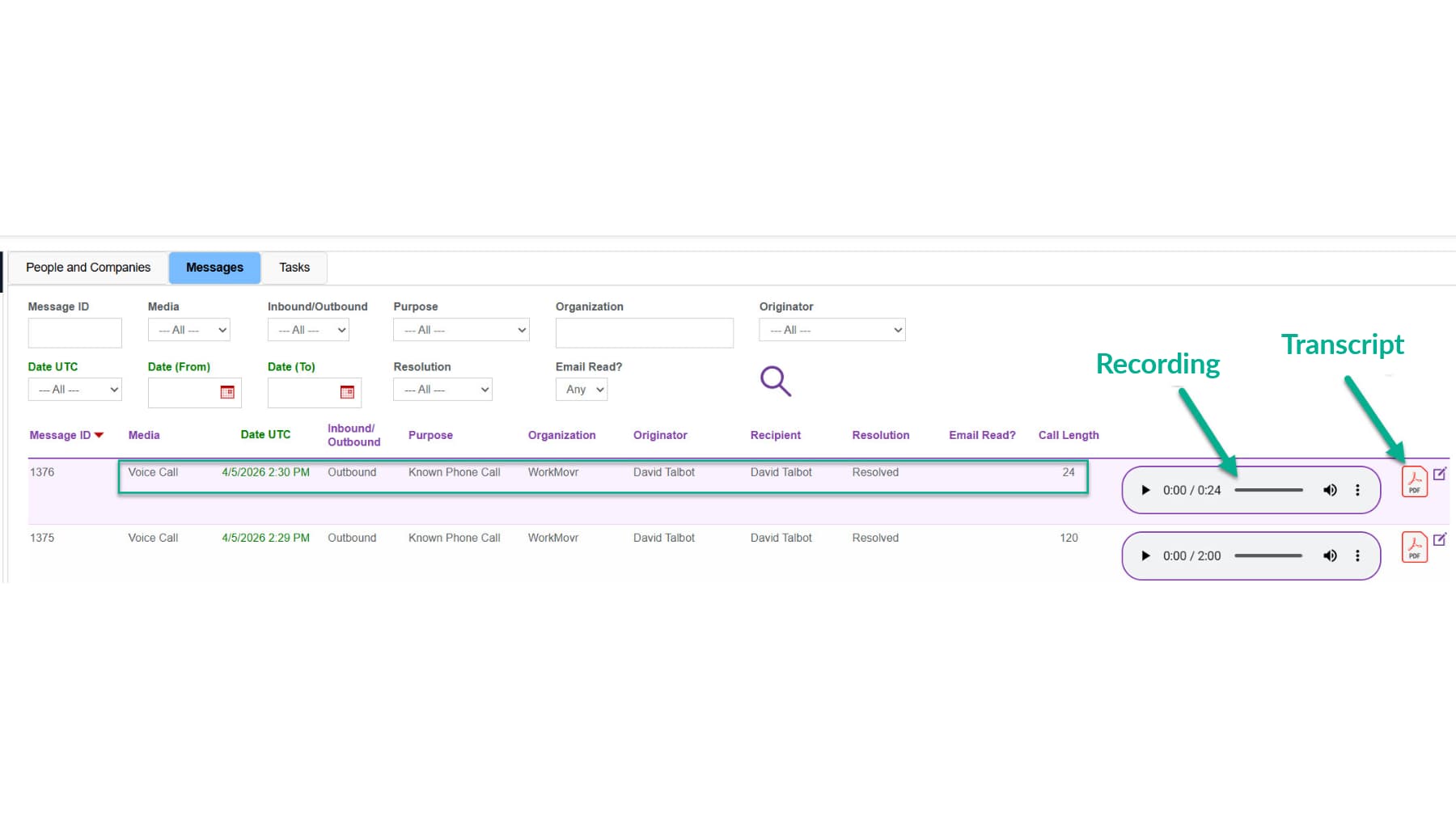
All call data, including recordings and transcripts, is stored in Caspio, and the OpenAI API performs sentiment analysis on customer interactions. Agents can use an on-screen keypad, create follow-up tasks and assign them by role or individual. Usage-based telephony pricing scales the solution for both low and high call volumes.
Features
- Screen pop of customer details on inbound calls, matched by caller ID.
- Outbound calling from the Caspio interface with customizable caller ID to reduce spam labeling.
- Call routing by agent availability, modeled in Amazon Connect's graphical flow designer.
- Conversational IVR with AI speech recognition (Amazon Lex) instead of keypad-only menus.
- Call recordings and transcripts stored in Caspio for a centralized customer history.
- Sentiment analysis of customer interactions using the OpenAI API.
- Follow-up tasks assignable by role or individual.
- On-screen agent keypad for manual dialing.
Pricing
- The software is free; an Amazon Connect subscription is required, billed per usage at a few cents per call.
- Implementation typically requires around 4 hours of integration assistance. Use the Request button to learn more or begin your deployment.